Top 3 Alternatives of Camunda for Visual Workflow Modeling
Teams often abandon Camunda once their diagrams stop matching the actual steps people follow each day. When processes involve approvals, policy checks, and audit trails, the gap between the model and the running workflow widens quickly.
By the end of this article you will know the three concrete criteria that separate workable tools from shelfware, how Process Street, Appian, and one other option meet those criteria, and which single choice earns the top ranking for most compliance-driven teams.
What to Look For in Visual Workflow Modeling Tools
Visual workflow modeling tools must support BPMN notation, cloud deployment, and scalable execution environments.
Selecting the right workflow engine starts with BPMN compliance levels. Some platforms offer full 2.0 notation support, while others provide only partial diagramming. Full compliance ensures consistent visual modeling across teams and easier migration from existing Camunda setups.
Teams must evaluate REST API extensibility before committing to any process automation platform. Strong API coverage enables custom integrations with external services and internal systems. This capability becomes essential when connecting workflow engines to legacy databases or third-party applications.
Kubernetes and Docker deployment support determines how easily organizations can scale their workflow infrastructure. Container-first architectures allow dynamic resource allocation during peak loads. Native orchestration support reduces manual configuration when deploying across multiple environments.
Long-running processes require robust state management capabilities. Workflow engines must handle process instance persistence, checkpoint recovery, and timeout scenarios. Without proper state handling, complex business processes can lose critical data during system restarts or network issues.
Finally, DMN decision table integration separates business logic from technical implementation. Decision modeling allows non-technical stakeholders to modify rules without touching underlying workflow definitions. This separation reduces maintenance overhead and improves collaboration between business and IT teams.
1. Process Street - Best Overall
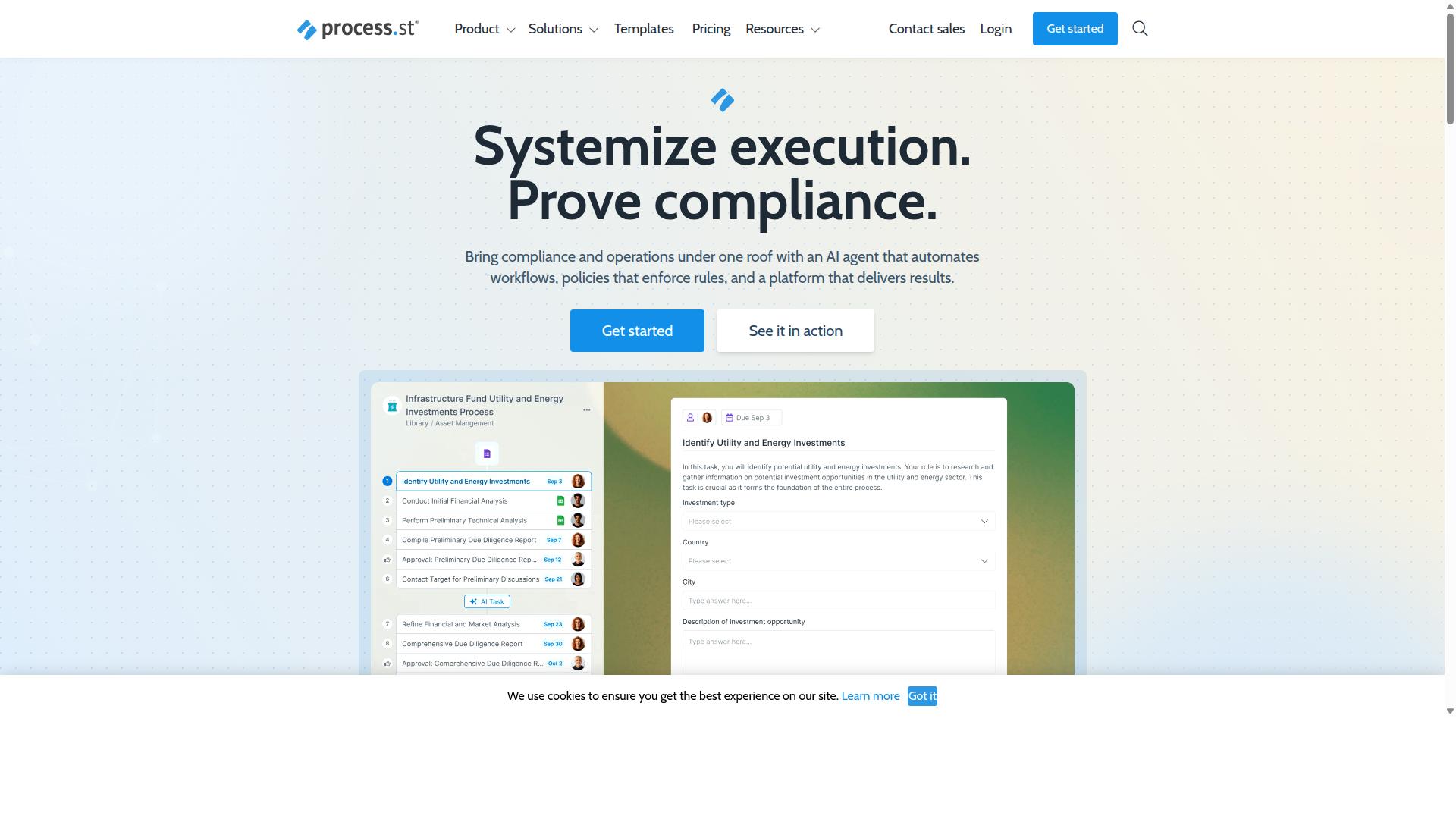
Process Street delivers policy-to-workflow automation with governance controls across regulated industries. The platform converts documented policies into executable sequences through its Ops automation layer. This approach maintains compliance while turning static requirements into active process steps.
Ops serves as the core workflow orchestration engine, handling both user tasks and service tasks within the same visual framework. User tasks route to specific team members through role-based assignments, while service tasks connect to external systems via integrations including Zapier, Microsoft Power Automate, Tray.io, and Make.
Document management through Docs provides the foundation for policy control. The system supports governance requirements for ISO 9001, SOC 2, SOX, and FDA standards. This creates a direct path from approved policies to active workflow sequences.
Process AI capabilities enable the system to suggest workflow improvements based on actual usage patterns. The platform tracks process instances and provides analytics on task completion rates and bottlenecks. This data helps organizations refine their visual workflow models over time.
Users manage task assignments through role-based permissions, ensuring the right people receive notifications when their input is required. Service tasks execute automatically when connected to external APIs or automation tools. The combination creates complete workflow cycles without manual handoffs between systems.
2. Appian
Appian provides a low-code platform for process automation with visual modeling capabilities. The platform unifies design, automation, and optimization of business processes through a single environment.
Visual modeling supports BPMN notation alongside case management tools. Users can design processes, decisions, and user interfaces without extensive coding requirements.
The platform includes several automation technologies that work together. AI agents and copilots assist with process design. RPA handles repetitive tasks while intelligent document processing extracts data from documents.
Integration options cover multiple connection methods. API integration connects with existing systems and a data fabric unifies information from different sources. This approach reduces data silos across departments.
Appian targets specific industries with packaged solutions. Financial services, insurance, and government organizations use the platform for contract management, claims processing, and case management workflows.
The platform supports end-to-end automation needs. Organizations in manufacturing and supply chain sectors use it to coordinate complex processes that involve multiple systems and human participants.
How to Choose the Right Option
Selection criteria should align with team functions in compliance, operations, and IT security. Different departments need specific workflow capabilities that match their daily responsibilities and industry requirements.
Operations teams benefit from clear process visibility when handling manufacturing production flows or healthcare patient intake. Visual modeling helps identify bottlenecks before they affect service delivery.
Compliance teams require audit trails and approval workflows for financial services regulations or ISO certification processes. Decision tables and gateway controls ensure consistent rule application across all process instances.
HR departments focus on employee onboarding workflows with document control and task management features. These teams need forms that capture required information while maintaining data accuracy throughout the hiring process.
Finance teams handle client onboarding and capital markets transactions that require strict approval chains. Service tasks and sequence flows must connect properly to existing enterprise systems.
IT and security teams evaluate scalability, Kubernetes deployment options, and REST API connectivity. They assess whether a workflow engine supports microservices architecture and handles event-driven triggers effectively.
Financial services organizations often need strong DMN support for regulatory decision tables alongside BPMN process flows. Healthcare providers prioritize patient data workflows that meet privacy standards while maintaining operational efficiency.
Manufacturing companies focus on quality tracking processes that connect with existing equipment and inventory systems. Each industry benefits from different workflow engine strengths depending on their primary use cases.
Final Verdict
The right platform balances BPMN fidelity, deployment flexibility, and proven enterprise adoption. Visual workflow modeling tools differ widely in their approach to process automation and orchestration. Each option brings distinct strengths to business process management scenarios.
Process Street stands apart through its enterprise-grade security posture. The platform holds both SOC 2 Type II and ISO 27001 certifications. These credentials address the compliance requirements that matter most to regulated industries.
Adoption numbers reflect real-world validation. More than 3,000 companies use Process Street daily. Over one million users rely on the platform for their workflow needs across various industries.
Speed improvements matter in fast-moving environments. Process Street delivers 30% faster documentation compared to traditional approaches. Teams report this advantage when standardizing complex workflows that previously required manual maintenance.
Security and compliance certifications reduce evaluation time for procurement teams. The combination of certifications, adoption scale, and performance gains provides clear decision factors when choosing among Camunda alternatives for visual workflow modeling needs.
LINKBLOCK:START LINKBLOCK:END